
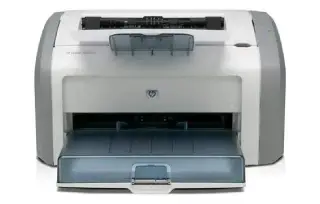
Overview
The LaserJet Pro M404n is the wired, print-only member of HP's M404 family. It is built for the job most offices actually have: pushing out a lot of black-and-white pages quickly, reliably, and at a low cost per page. First page out is quick from sleep, and at up to 40 ppm it keeps up with a busy shared workload without becoming the bottleneck.
The letter after the model number matters more than anything else in this range. The M404n has Ethernet only. The M404dn adds automatic two-sided printing, and the M404dw adds Wi-Fi on top of that. If you buy an M404n expecting to print wirelessly or duplex automatically, that is a specification gap rather than a fault — check the label on the front of the machine before you troubleshoot.
Key specifications
- Type: Monochrome laser, print only
- Print speed: Up to 40 ppm (letter)
- Resolution: 1200 x 1200 dpi effective
- Paper handling: 250-sheet tray 2, 100-sheet tray 1
- Two-sided printing: Manual (the M404dn adds automatic duplex)
- Connectivity: Gigabit Ethernet, Hi-Speed USB 2.0
- Wireless: Not included on the 'n' model
- Toner: HP 58A / 58X black toner cartridge
Specifications vary by region and revision. Check the model number printed on the front of the machine before ordering consumables or parts.
Features at a glance
- Prints up to 40 pages per minute
- 1200 x 1200 dpi effective print resolution
- 250-sheet input tray plus 100-sheet multipurpose tray
- Built-in Gigabit Ethernet for wired networks
- Duty cycle rated up to 80,000 pages per month
Who the HP LaserJet Pro M404n is for
Small offices and workgroups that print high volumes of documents over a wired network and do not need scanning, colour, or Wi-Fi. If you need automatic double-sided printing, look at the M404dn instead.
Common problems and how to fix them
The printer does not appear on the network
Print a configuration page from the control panel and check the IPv4 address. If it starts with 169.254, the printer never got an address from your router — reseat the Ethernet cable, confirm the switch port is live, then power-cycle the printer. Where possible, reserve a fixed IP for the printer in your router so the address does not move and break saved print queues.
Repeated paper jams from tray 2
Overfilling is the usual cause. Keep the stack below the fill line, fan the paper before loading, and make sure the width and length guides touch the stack without squeezing it. If jams keep happening from the same spot, the pickup roller is worn — it is a user-replaceable part on this model.
Prints are faded or streaked down the page
Remove the toner cartridge, rock it gently side to side to redistribute toner, and reinstall it. That buys a few hundred pages when toner is genuinely low. A repeating mark at a fixed interval down the page usually points at the imaging drum instead, and a vertical white stripe in the same place every time means the cartridge needs replacing.
Frequently asked questions
Does the HP LaserJet Pro M404n have Wi-Fi?
No. The M404n connects by Gigabit Ethernet or USB only. The M404dw is the wireless model in the same family.
Can it print double-sided automatically?
Not automatically. The M404n supports manual duplexing, where the driver prompts you to reload the stack. The M404dn and M404dw have a built-in duplexer.
Which toner cartridge does it use?
HP 58A standard-yield or 58X high-yield black toner. The 58X is the better value per page if you print regularly.
Still stuck?
Our technicians work with HP every day. Call +1-8887342713 any time, or send us the details and we will get back to you. You may also want to read our HP guide.