
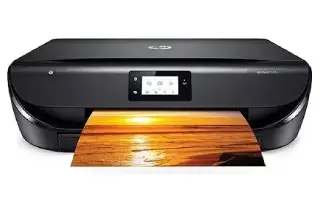
Overview
The Envy 6055 is built for the household that prints occasionally: a school assignment, a boarding pass, a form to sign and scan back. It is small, quiet and set up almost entirely from a phone using the HP Smart app, which is the point — there is no driver disc ritual and barely any control panel to learn.
Speed and paper capacity are modest, and there is no document feeder, so multi-page scanning means one sheet at a time on the flatbed. In exchange you get automatic double-sided printing, which is unusual at this size, and a footprint that disappears on a shelf.
Key specifications
- Type: Colour inkjet all-in-one (print, scan, copy)
- Print speed: Up to 10 ppm black, 7 ppm colour
- Scanner: Flatbed only — no automatic document feeder
- Two-sided printing: Automatic
- Paper handling: 100-sheet input tray
- Connectivity: Wi-Fi, Wi-Fi Direct, USB
- Mobile printing: HP Smart app, AirPrint, Mopria
- Ink: HP 67 / 67XL
Specifications vary by region and revision. Check the model number printed on the front of the machine before ordering consumables or parts.
Features at a glance
- Compact all-in-one: print, scan and copy
- Automatic two-sided printing
- Wireless printing with the HP Smart app
- Scan directly to a phone or to the cloud
- Quiet operation, small enough for a shelf
Who the HP Envy 6055 is for
Homes and dorm rooms with light, occasional printing needs where size, noise and phone-based setup matter more than speed.
Common problems and how to fix them
The printer goes offline between uses
Check it is on the 2.4 GHz band, and give it a reserved IP address in your router so the address does not change. On Windows, also uncheck 'Use Printer Offline' in the print queue — it sometimes sticks after a sleep cycle and blocks everything sent afterwards.
Setup will not complete in the HP Smart app
Your phone has to be on the same 2.4 GHz network during setup, with Bluetooth and location permissions granted to the app — it uses both to find the printer. If it still stalls, hold the Wi-Fi and Power buttons together to restore Wi-Fi setup mode and start again.
Ink runs out faster than expected
Small home printers use ink on maintenance cycles as well as on pages, so infrequent printing costs proportionally more. The XL cartridges are better value if you print at all regularly, and leaving the printer powered on actually helps — it schedules maintenance more efficiently than repeated cold starts.
Frequently asked questions
Does the HP Envy 6055 have an automatic document feeder?
No. It has a flatbed scanner, so multi-page documents are scanned one page at a time.
Does it print double-sided by itself?
Yes, automatic two-sided printing is included.
Can I set it up without a computer?
Yes. Setup runs from the HP Smart app on a phone or tablet — no computer needed.
Still stuck?
Our technicians work with HP every day. Call +1-8887342713 any time, or send us the details and we will get back to you. You may also want to read our HP guide.