
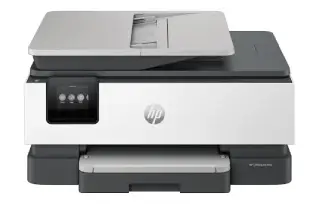
Overview
The WorkForce Pro WF-3720 packs office features into a footprint that fits on a shelf. The combination that matters here is the 35-page document feeder plus automatic duplex printing: it turns a stack of two-sided originals into a scan or a copy job without anybody standing over it.
DURABrite Ultra is pigment ink rather than dye, so pages resist smudging and highlighter bleed in a way most home inkjets do not. Published speeds are around 20 ppm black in ISO terms — real-world figures land lower than the draft-mode numbers you sometimes see quoted, which is normal for the class.
Key specifications
- Type: Colour inkjet all-in-one (print, scan, copy, fax)
- Print speed: Up to 20 ppm black, 10 ppm colour (ISO)
- Printhead: PrecisionCore
- Paper handling: 250-sheet cassette, 35-page ADF
- Two-sided printing: Automatic
- Display: 2.7-inch colour touchscreen
- Connectivity: Wi-Fi, Wi-Fi Direct, Ethernet, USB
- Ink: Epson 288 / 288XL DURABrite Ultra
Specifications vary by region and revision. Check the model number printed on the front of the machine before ordering consumables or parts.
Features at a glance
- PrecisionCore printhead with laser-quality output
- 35-page automatic document feeder
- Automatic two-sided printing
- 250-sheet paper cassette
- 2.7-inch colour touchscreen with Wi-Fi Direct
Who the Epson WorkForce Pro WF-3720 is for
Home offices and small teams that need scanning, copying and faxing in one compact machine and print a moderate volume of mixed colour and mono work.
Common problems and how to fix them
Horizontal banding or missing lines in prints
Run Print Head Nozzle Check from the maintenance menu, then Head Cleaning if gaps show. Leave 15 minutes between cleaning cycles; back-to-back cleanings waste ink without helping. Epson inkjets clog when they sit unused, so printing one colour page a week is genuinely preventative maintenance.
The ADF pulls several sheets at once or skews them
Fan the stack, square the edges and set the guides against the paper. Then clean the ADF pickup roller and separation pad with a lint-free cloth lightly dampened with water — paper dust on the rubber is the usual cause of double-feeds and crooked scans.
Printer says the cartridge is not recognised
Take the cartridge out, wipe the copper contacts with a dry lint-free cloth and reseat it until it clicks. If it is a third-party cartridge, a firmware update may have blocked it. We can talk you through checking the firmware level and your options before you buy replacements.
Frequently asked questions
How much paper does the WF-3720 hold?
One 250-sheet cassette, plus a 35-page automatic document feeder for scanning and copying.
Does it print double-sided automatically?
Yes, automatic duplex printing is built in.
Is the ink smudge-resistant?
Yes. It uses DURABrite Ultra pigment ink, which resists smudging, water and highlighter bleed better than dye-based ink.
Still stuck?
Our technicians work with Epson every day. Call +1-8887342713 any time, or send us the details and we will get back to you. You may also want to read our Epson guide.