
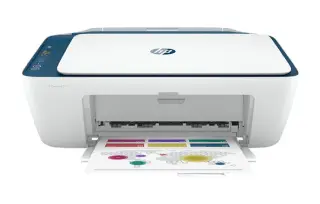
Overview
The EcoTank ET-4760 is Epson's answer to cartridge fatigue. Ink arrives in bottles, the tanks sit visibly on the side of the printer, and the set in the box is rated for thousands of pages — the kind of yield that makes the per-page cost almost disappear compared with a cartridge machine.
Beyond the ink, it is a competent small-office all-in-one: a 30-page feeder, automatic duplex printing, Ethernet alongside Wi-Fi, and fax if you still need it. The 150-sheet paper tray is the main compromise, so if you print long jobs expect to reload more often than you would on an office-class machine.
Key specifications
- Type: Colour inkjet all-in-one (print, scan, copy, fax)
- Ink system: EcoTank refillable bottles (502 series)
- Print speed: Up to 15 ppm black, 8 ppm colour (ISO)
- Paper handling: 150-sheet tray, 30-page ADF
- Two-sided printing: Automatic
- Display: 2.4-inch colour touchscreen
- Connectivity: Wi-Fi, Wi-Fi Direct, Ethernet, USB
- Page yield: Roughly 7,500 black / 6,000 colour pages per ink set
Specifications vary by region and revision. Check the model number printed on the front of the machine before ordering consumables or parts.
Features at a glance
- Cartridge-free EcoTank refillable ink system
- Up to two years of ink included in the box
- 30-page automatic document feeder
- Automatic two-sided printing
- Wi-Fi, Ethernet, fax and a colour touchscreen
Who the Epson EcoTank ET-4760 is for
Households and small offices printing a few hundred pages a month that want predictable, very low ink costs.
Common problems and how to fix them
Missing colours or streaky output
Run a nozzle check from the touchscreen and only run a head cleaning if the pattern shows gaps. Space cleanings at least 15 minutes apart. Because EcoTank ink is cheap per page, printing regularly is the best clog prevention there is on this model.
The tanks look full but the printer says ink is low
Levels are estimated by the printer, not measured in the tanks. After refilling, confirm the refill in the maintenance menu so the estimate resets. Also check you filled to the upper line — underfilling triggers early warnings.
Scanning to a computer stops working after an update
Epson Scan 2 and the network setup are the usual casualties of an operating-system update. Reinstall the current Epson Scan 2 utility for your OS version, then re-add the printer by IP rather than by discovery — a fixed IP reservation on your router stops this recurring.
Frequently asked questions
How much ink comes with the ET-4760?
Epson supplies enough ink in the box for up to two years of typical use, roughly 7,500 black and 6,000 colour pages.
Does it have a document feeder?
Yes, a 30-page automatic document feeder, plus automatic two-sided printing.
Is refilling messy?
No. The 502 bottles key into each tank and stop automatically when the tank is full, so there is nothing to squeeze or measure.
Still stuck?
Our technicians work with Epson every day. Call +1-8887342713 any time, or send us the details and we will get back to you. You may also want to read our Epson guide.