
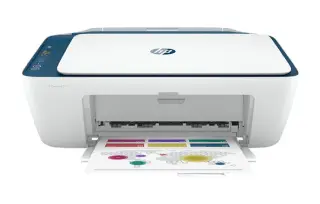
Overview
The PIXMA TS8320 is a photo-first all-in-one. The sixth ink — photo blue — is the reason it exists: it smooths the gradients in skies and skin tones that trip up four-ink printers, and the results on Canon's own photo paper hold up next to a lab print. Documents come out clean too, thanks to a separate pigment black used for text.
It is not an office machine, and it does not pretend to be. There is no automatic document feeder, so multi-page scanning means lifting the lid for every sheet. Individual tanks are the offsetting advantage: when one colour runs out you replace one cartridge, not a whole tri-colour block.
Key specifications
- Type: Colour inkjet all-in-one (print, scan, copy)
- Ink system: 6 individual tanks (CMYK, pigment black, photo blue)
- Display: 4.3-inch colour touchscreen
- Scanner: Flatbed only — no automatic document feeder
- Two-sided printing: Automatic
- Connectivity: Wi-Fi, Bluetooth, USB, SD card slot
- Mobile printing: AirPrint, Mopria, Canon PRINT app
- Ink: Canon CLI-280 / PGI-280 series
Specifications vary by region and revision. Check the model number printed on the front of the machine before ordering consumables or parts.
Features at a glance
- Six individual ink tanks including a dedicated photo blue
- 4.3-inch colour touchscreen
- Wireless printing with AirPrint and Mopria support
- Automatic two-sided printing
- Borderless photo printing up to 8.5 x 11 inches
Who the Canon PIXMA TS8320 is for
Home users who print photos and craft projects alongside everyday documents, and who value print quality over batch-scanning speed.
Common problems and how to fix them
Colours look washed out or banded on photos
Run the nozzle check from the maintenance menu first — a missing colour block means a clogged printhead, and one or two cleaning cycles usually clears it. If the pattern is clean, the cause is almost always the paper setting: pick the exact paper type in the driver, because the printer changes ink volume based on that choice.
The printer keeps dropping off Wi-Fi
The TS8320 connects on 2.4 GHz. If your router broadcasts one merged network name for both bands, the printer can be handed a 5 GHz-only steer and disappear. Split the bands into separate SSIDs, or temporarily disable the 5 GHz radio while you run wireless setup again from the touchscreen.
'Ink absorber is almost full' message
This is the waste-ink pad, not a cartridge. It fills up over the printer's life, mostly through head cleaning cycles. Reduce unnecessary cleanings, and when the message becomes a hard stop the pad needs servicing — call us before running third-party reset tools, which mask the counter without emptying anything.
Frequently asked questions
Does the Canon PIXMA TS8320 have an automatic document feeder?
No. It has a flatbed scanner only. If you scan multi-page documents regularly, look at Canon's MAXIFY line instead.
Can it print without a computer?
Yes. You can print from an SD card, from a phone using the Canon PRINT app or AirPrint, or copy directly from the touchscreen.
How many ink cartridges does it take?
Six: four dye-based colours, a photo blue, and a pigment black for crisp text on plain paper.
Still stuck?
Our technicians work with Canon every day. Call +1-8887342713 any time, or send us the details and we will get back to you. You may also want to read our Canon guide.