
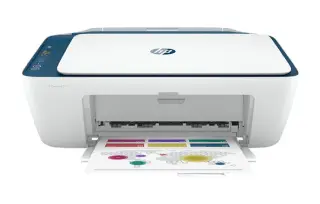
Overview
The MAXIFY G7020 trades a higher up-front cost for running costs that cartridge printers cannot approach. Ink comes in bottles you pour into tanks on the front of the machine, and a full set covers thousands of pages — the maths works out heavily in its favour once you are printing a few hundred pages a month.
It is a genuine office all-in-one as well: two paper paths, a 50-sheet document feeder, automatic duplex, Ethernet and fax. ISO speeds of roughly 13 images per minute in black are modest next to a laser, so this is a machine chosen for cost per page and colour, not for raw pace.
Key specifications
- Type: Colour inkjet all-in-one (print, scan, copy, fax)
- Ink system: MegaTank refillable bottles (GI-20 series)
- Print speed: Up to 13 ipm black, 6.8 ipm colour (ISO)
- Paper handling: 250-sheet cassette, 100-sheet rear tray, 50-page ADF
- Two-sided printing: Automatic
- Connectivity: Wi-Fi, Ethernet, USB
- Page yield: Thousands of pages per set of bottles
- Best suited to: High monthly print volumes
Specifications vary by region and revision. Check the model number printed on the front of the machine before ordering consumables or parts.
Features at a glance
- MegaTank refillable ink system — bottles, not cartridges
- 50-sheet automatic document feeder
- Automatic two-sided printing
- 350-sheet total paper capacity across two paths
- Wi-Fi, Ethernet and fax built in
Who the Canon MAXIFY G7020 is for
Small businesses, home offices and schools that print in volume — especially colour — and want to stop buying cartridges.
Common problems and how to fix them
Print quality drops after the printer sits unused
Tank printers dislike long idle periods. Run a nozzle check, then a print head cleaning if segments are missing, and leave a gap between cleanings. Printing a colour test page weekly costs almost nothing on this machine and prevents most clogs before they start.
Ink level warnings after refilling the tanks
The G7020 estimates levels rather than measuring them, so it needs to be told it was refilled. Reset the ink counter from the maintenance menu after topping up, otherwise it keeps warning you about a tank you can see is full.
Paper is picked from the wrong tray
The cassette and the rear tray are separate paper sources with separate settings. Confirm the registered paper size and type for each in the printer's menu, then pick the matching source in the driver — mismatches here are what make the printer grab the wrong stack or refuse to start.
Frequently asked questions
How is the MAXIFY G7020 different from a normal inkjet?
It uses refillable ink tanks filled from bottles instead of disposable cartridges, which drops the cost per page dramatically for anyone printing in volume.
Does it have a document feeder?
Yes, a 50-sheet automatic document feeder for scanning and copying multi-page originals.
Can I connect it by cable?
Yes. It supports Ethernet and USB as well as Wi-Fi.
Still stuck?
Our technicians work with Canon every day. Call +1-8887342713 any time, or send us the details and we will get back to you. You may also want to read our Canon guide.